
We're here to help
Get answers and find information about how to use the Kelvi system, including how-to videos and downloadable guides for each Smart Wrap.
New to Kelvi? Start here.
Identify your console
Check the label on the underside of your console to see whether you have a Pro-e or a Pro.
Download your Quick Start Guide
Find the guide for your specific Smart Wrap below.
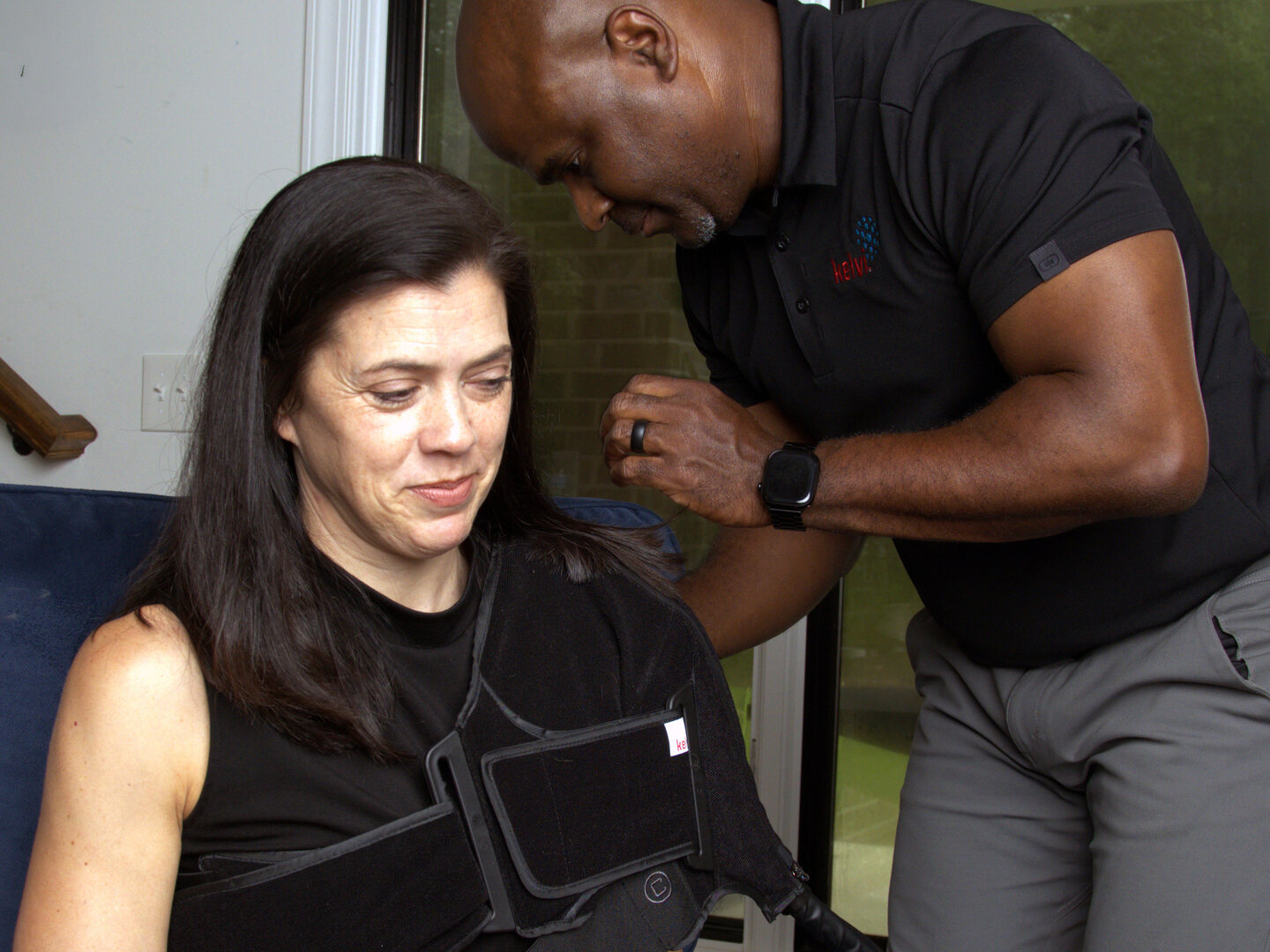
Watch the how-to video for your wrap
Step-by-step instructions for applying and using your Smart Wrap.
Smart Wrap Instructions
Guides and videos for every Smart Wrap™
Check the label on your Smart Wrap to identify which wrap you have (Knee Pro, Back Pro, Shoulder Pro, Ankle Pro, etc.). Guides available in English and Spanish.
Which console do you have?
The console model is printed on the label on the underside of your console.
| Wrap | English | Español | Sleeve installation | Video |
|---|---|---|---|---|
| Knee Pro | Download PDF | Descargar PDF | Download PDF | Watch video (2:04) |
| Shoulder Pro | Download PDF | Descargar PDF | Download PDF | Watch video (3:38) |
| Back Pro | Download PDF | Descargar PDF | Download PDF | Watch video (2:00) |
| Ankle Pro | Download PDF | Descargar PDF | — | Watch video (1:58) |
| Hip Pro Left | Download PDF | Descargar PDF | Download PDF | Coming soon |
| Hip Pro Right | Download PDF | Descargar PDF | Download PDF | Coming soon |
| Wrap | English | Español | Sleeve installation | Video |
|---|---|---|---|---|
| Knee Pro | Download PDF | Descargar PDF | Download PDF | Watch video (2:04) |
| Shoulder Pro | Download PDF | Descargar PDF | Download PDF | Watch video (3:38) |
| Back Pro | Download PDF | Descargar PDF | Download PDF | Watch video (2:00) |
| Ankle Pro | Download PDF | Descargar PDF | — | Watch video (1:58) |
Manuals & Resources
Full documentation library
Complete Instructions for Use for every Kelvi product, plus troubleshooting and care guides.
Smart Wrap manuals
Troubleshooting & care
- Kelvi Pro System Troubleshooting Error messages, common fixes, and when to call support. PDF
- Troubleshooting Addendum — Pro Console Additional troubleshooting steps specific to the Pro Console. PDF
- Kelvi System Software Update Guide How to check your software version and apply an update. PDF
- Kelvi Product Storage Guide Packing your console and Smart Wrap between uses and for return. PDF
Frequently Asked Questions
Have questions?
Using your device
Yes, Kelvi has apps for patients and clinicians.
The Kelvi Patient app is available for iOS and Android. It can help you run therapies and track your progress, though is not required for patients to use the device.
The Kelvi Clinician App is available for clinicians on iOS and Android and allows them to set up custom treatment protocols and push them directly to the Kelvi console over Bluetooth.
Yes, but always remove the KelviTEC™ Insert from the sleeve before washing. Close all zippers, then hand wash or machine wash the sleeve in cold water with mild detergent. Hang to dry.
Clean the KelviTEC™ Insert separately by wiping it with a soft cloth dampened with mild detergent or 70% isopropyl alcohol, then allow it to air dry. Do not submerge, hand wash, or machine wash the KelviTEC™ Insert—doing so will void the warranty.
Most error messages include a specific instruction on the screen. Common steps include:
- Connection error: Disconnect the Smart Wrap™ from the console, then reconnect firmly until you hear a click.
- Fit error: Remove and refit the Smart Wrap, ensuring it lies flat against your skin with full contact.
- Console error: Unplug the console from power, wait 15 seconds, then plug it back in and restart.
- Airflow error: Make sure the console's vents are not blocked. Place the console at least 6 inches away from any wall or solid surface.
- Water level error: Check that the internal water reservoir is full.
If the device continues to behave unexpectedly after following the on-screen instruction, stop using it and contact Kelvi support.
Rental and return
Safety
Yes. Only your healthcare provider can determine whether Kelvi is appropriate for you. A complete list of contraindications is included in the Kelvi Pro-e User Manual. Key conditions are listed below.
Kelvi should NOT be used in patients who:
- Have any vascular impairment in the treatment area, including frostbite history, arteriosclerosis, type I diabetes, or ischemic tissue of any cause
- Have cellulitis, inflammatory phlebitis, or venous ulcers
- Have any risk factors for embolism (including pulmonary embolism, atrial fibrillation, endocarditis, or myocardial infarction)
- Have carcinoma in or around the treated extremity
- Have Raynaud's disease or cold hypersensitivity (cold urticaria)
- Have decompensated hypertension
The heat and contrast settings should NOT be used in patients who:
- Have inflamed tissue from a recent injury or chronic inflammatory flare-up
- Have an acute, untreated fracture in the treatment area
- Have local malignancy, actively bleeding tissue, or hemorrhagic conditions
- Have acute skin conditions such as eczema, psoriasis, vasculitis, or dermatitis
- Have any active local or systemic infection
- Are pregnant
The cold and contrast settings should NOT be used in patients who:
- Have hematological conditions including sickle-cell disease, paroxysmal cold hemoglobinuria, serum cold agglutinins, or cryoglobulinemia
The air pressure (compression) setting should NOT be used in patients who:
- Have acute or chronic venous insufficiency or cardiac failure
- Have acute thrombophlebitis in the treatment area
- Have cellulitis, inflammatory phlebitis, ulcers with thrombosis, or venous ulcers
- Have any risk factors for embolism
- Have carcinoma in or around the treated extremity
- Have diabetes mellitus, multiple sclerosis, rheumatoid arthritis, poor circulation, or spinal cord injuries
Still need help?
For installation or pickup questions, please contact your local distributor representative. For all other questions, please contact us at info@kelvi.com or use our contact form.